LEGO® MINDSTORMS® Robot Inventor
 +
Warning
Please Note: You are currently viewing the tutorial for the 【LEGO® MINDSTORMS® Robot Inventor】 environment. If you are using EV3 or other system software, please click the button above to return to the hub menu and reselect.
This page applies to the LEGO® MINDSTORMS® Robot Inventor, utilizing the LEGO MINDSTORMS Inventor App block programming mode.
In this environment, the Pathfinder 16-Way Sensor will be perfectly identified by the LEGO system as an official "SPIKE Color Sensor".
Caution
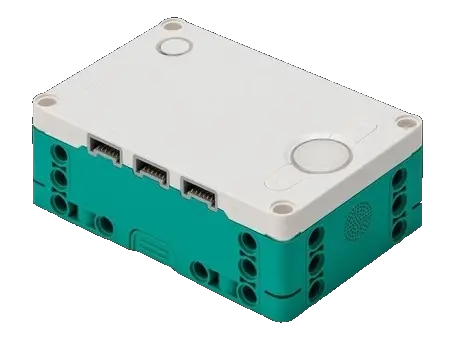
Official Software Limitations of the Smart Hub (51515 MINDSTORMS® Hub) Due to the limitations of the official LEGO Robot Inventor App software, the values of some single-channel blocks are strictly limited to
0 ~ 126by the official system. In order to allow you to still unleash the extreme performance of the Pathfinder 16-Way on this hub, we have developed an exclusive "Data Shunting and Squeezing" transmission protocol, successfully bypassing the 126 limit for position and reflected light massive data, directly mapping them onto the RGB and reflected light channels!
Physical Data Channel Mapping Table
You can directly pull the official "Reflected Light" or "RGB Value" blocks of the color sensor in your program to obtain the following data:
| Official Block Channel | Mapped Physical Data | Value Range & Decoding Guide |
|---|---|---|
| 🎨 Color | Feature Line Width |
0 ~ 10 👉 Due to the home version software limiting color to a maximum of 10, the feature line width here is normally scaled, commonly used for detecting intersections. |
| 💡 Reflected Light | Standard Position Shift Value |
0 ~ 32 👉 16 represents dead center, 0 represents far left, 32 represents far right. Reading the value and subtracting 16 gives the line-following position (negative value means black line is on the left, positive means black line is on the right). The value is stable and completely unaffected by the 126 limit.
|
| 🔴 Red Channel | High-Resolution Smooth Position |
0 ~ 200 👉 100 represents dead center, 0 represents extreme left, 200 represents extreme right. Reading the value and subtracting 100 gives the high-precision line-following position (negative value means black line is on the left, positive means black line is on the right). This channel is perfectly lossless on the toy version, with no degradation whatsoever, and can be directly plugged into high-end PID line-following controls!
|
| 🟢 Green Channel | First 8 Photoelectric Values |
0 ~ 255 👉 First 8 photoelectric values: Encoded, 1 bit per channel (1 = light value ≥ the threshold, default 40; firmware shipped before 2026-11-03: light value > 50). |
| 🔵 Blue Channel | Last 8 Photoelectric Values |
0 ~ 255 👉 Last 8 photoelectric values: Encoded, 1 bit per channel (1 = light value ≥ the threshold, default 40; firmware shipped before 2026-11-03: light value > 50). |
Download Example Programs
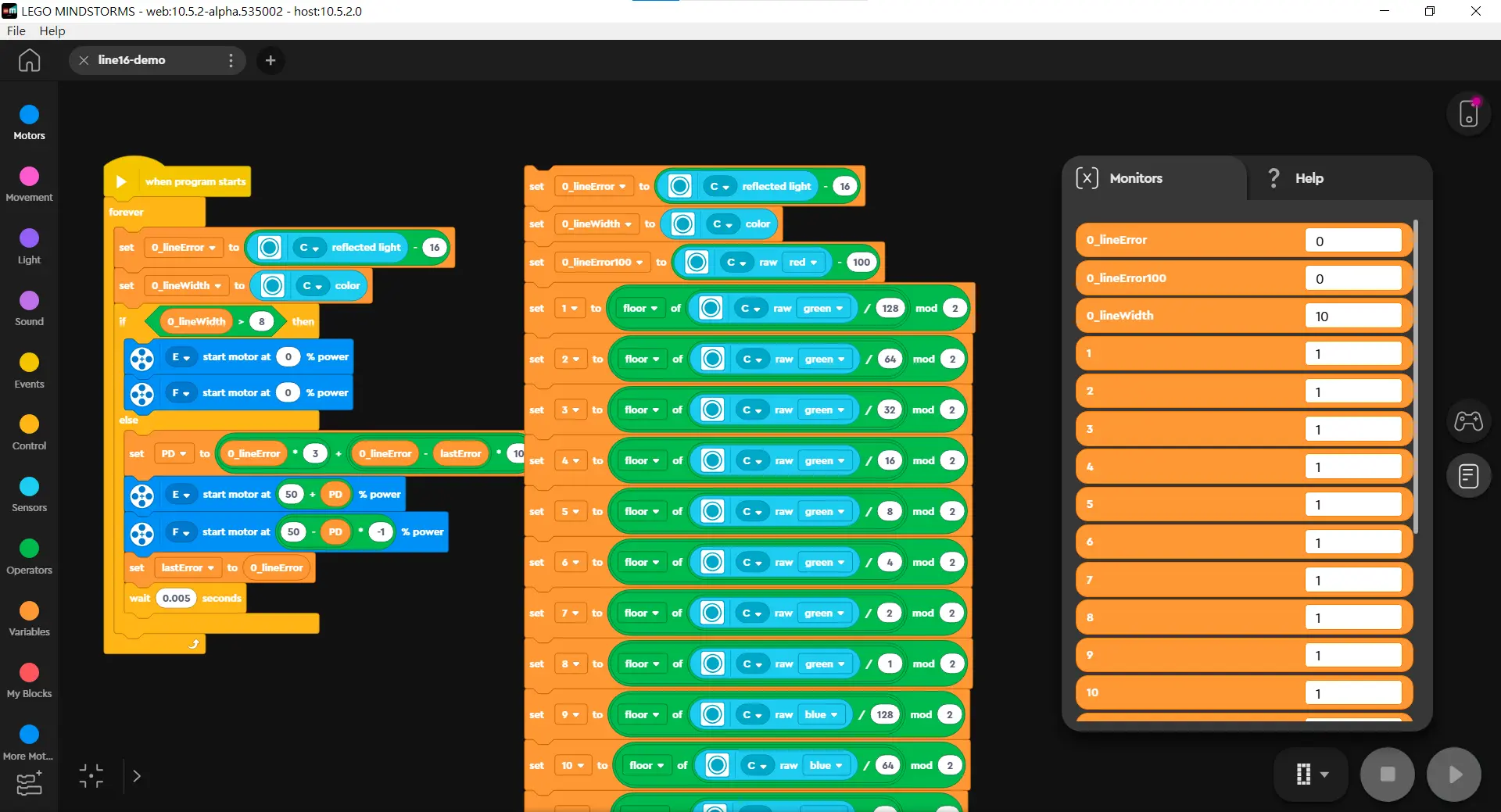
The image above demonstrates the classic PID line-following program structure in the LEGO® MINDSTORMS® Robot Inventor App for the 16-Way Line Follower.
After downloading, open it directly using the LEGO® MINDSTORMS® Robot Inventor App.
Tip
Want to learn more advanced line-following control methods? You can take classes from these awesome coaches! They have rich experience in competitions and teaching, guaranteeing you'll learn a lot! 💯